Game Dev
Animation Systems
Unity

Tools
Minimo logo
Minimo is a 200-player co-op roguelite MMO by Low Drag Labs. To deliver the most fun experience possible for players, we equip Minimo animators with the tools they need to focus on hand-crafted character performance.

To this end, I've developed Low Drag's animation and character art pipeline based on these principles:
  • Portability: A remote animator can easily sync, onboard, and animate autonomously.
  • Parity: What the animator sees in Maya is what they get in-game.
  • Simplicity: Tools are easy to use. No over-engineering.
Below are a few commonly used tools for most productions.
Rig System

A good rig saves production time and allows animators to focus on their craft. Automated rig process with features animators need: Space-switching, gimbal and grip controls, picker, etc.

Animation Exporter and Transfer

Animators need the ability to get data into and out of their DCC software-of-choice. With these tools, animators can export from Maya or retarget data from external sources like Unity or Mixamo onto our control rig.

Camera Round Trip

The camera is a crucial storytelling element over which animators need control. This tooling allows us to animate the camera in Maya and export data to faithfully represent this motion in Unity. Result: This in-game leap attack feels exactly as the animator intended.

Prop System

Props, such as weapons, must be held and manipulated believably by characters. Our system gives animators control over props with full Maya/Unity parity.

Character Toggle

Minimo has a diverse collection of character classes. Animators can easily swap a character's outfit in Maya. This helps animators "get into character," and visualize skin weighting and range-of-motion.

Animation Diagnostics

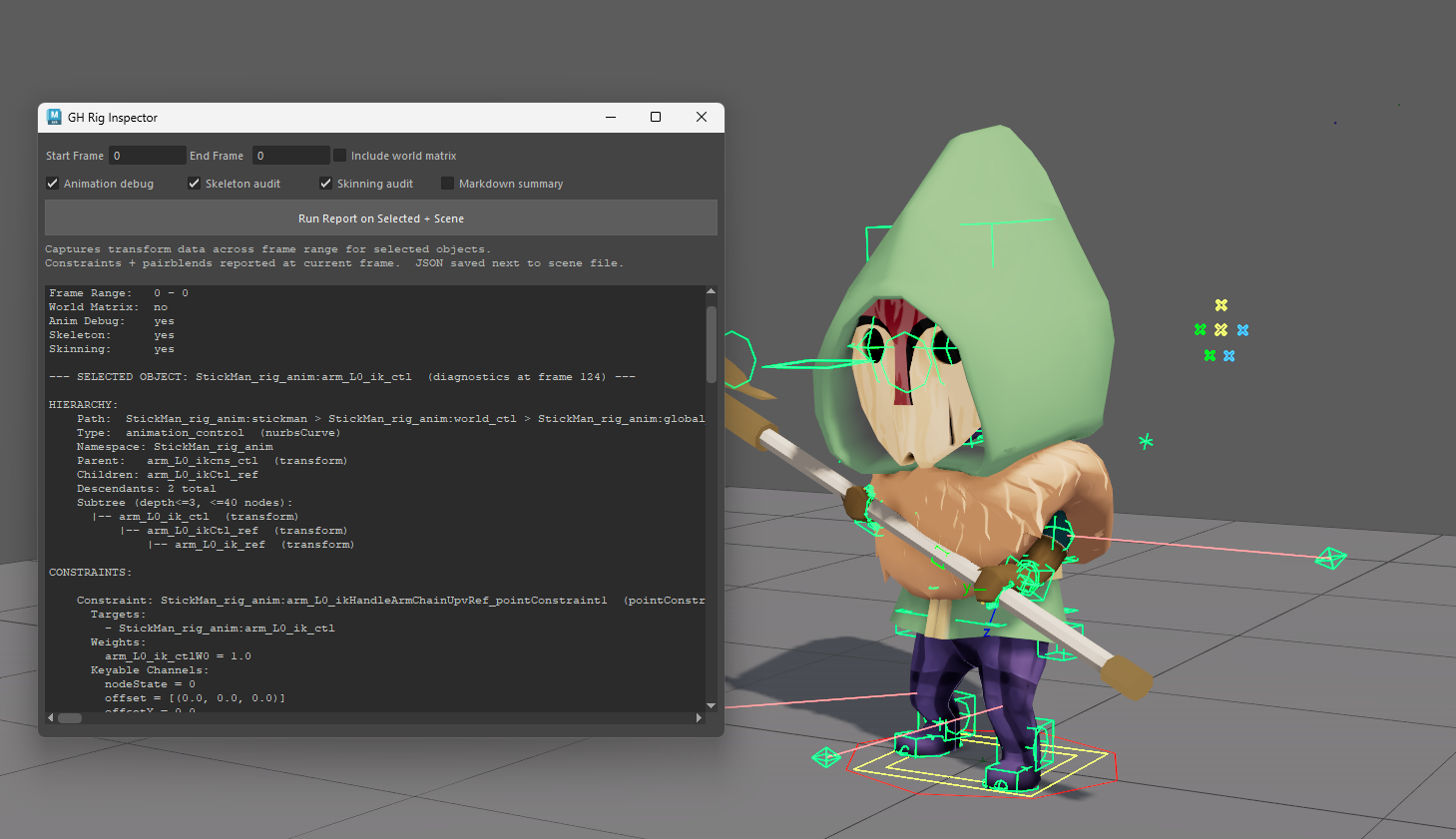
Animators often need fine data control for debugging. The faster a bug can be diagnosed, the faster it can be fixed. We make animation data like hierarchies, influences, and transforms easily accessible in Unity and Maya.

The Rig Inspector tool open in Maya, showing a rig diagnostic report beside a rigged, hooded Minimo character with its animation controls visible.

In-engine Sandbox

A place to debug our animations. Controls for in-game animation analysis. Frame stepping at dedicated fps, camera control, prop attachments, capsule motion capture and export.

Hit Volume Tools

When their character swings a sword at an enemy, players expect targets to take appropriate damage. Animators author hit volumes in Maya, export and integrate them into Unity. Hit volumes can be visualized in-game for debugging.